Invoices
Overview
Invoices let you bill your clients directly through DreamPlan. Each invoice includes itemised line items, tax calculations, a due date, and a unique invoice number. Clients can view and pay invoices through a secure link without needing a DreamPlan account. When you have Stripe Connect set up, payments are processed automatically and deposited into your bank account.
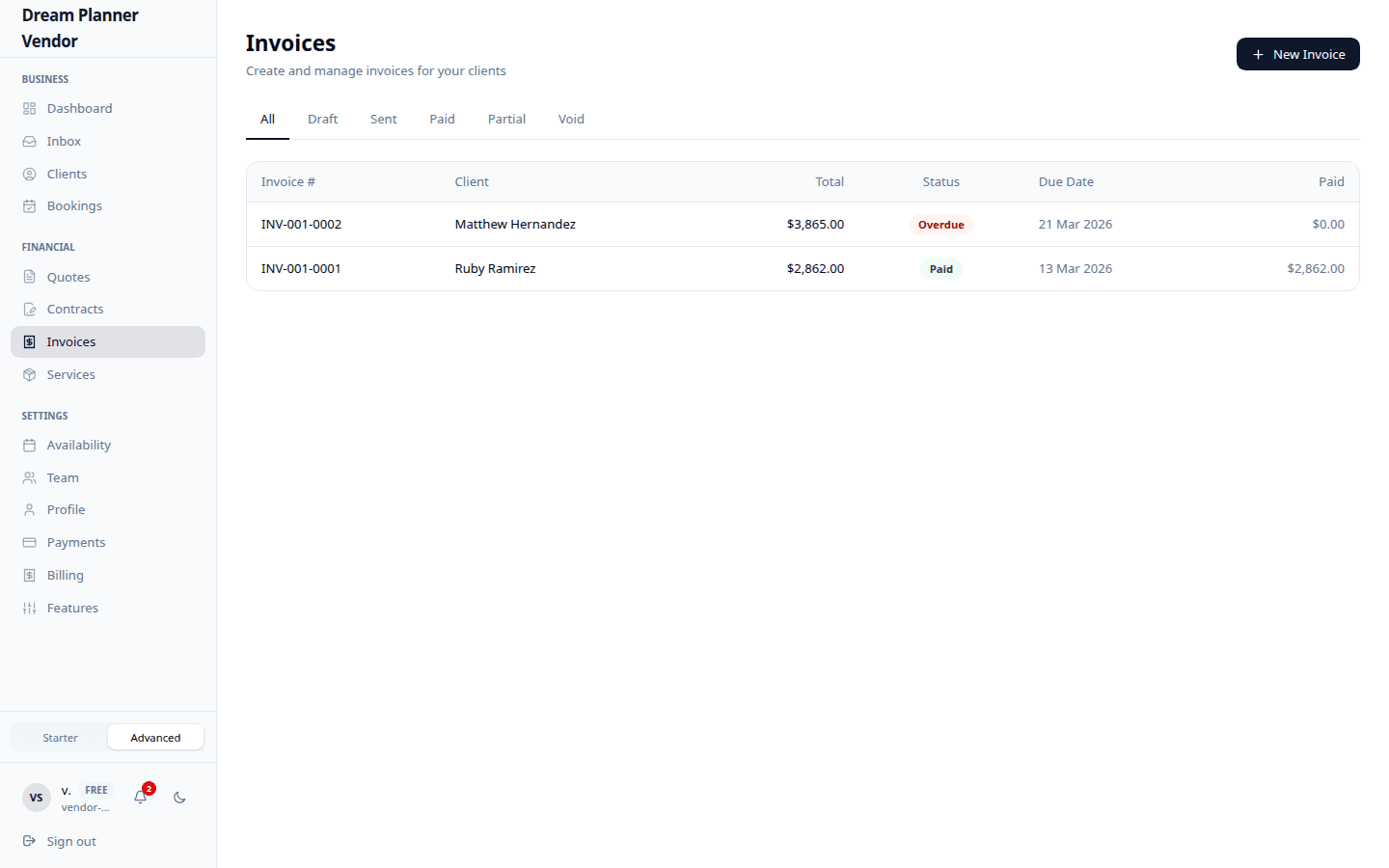 The invoices list showing status, amounts, and payment tracking.
Creating an Invoice
- Navigate to Invoices from the sidebar and click New Invoice.
- Select the client from the dropdown, or enter their details manually.
- Add line items. Each line item includes:
| Field | Description |
|---|---|
| Description | What the item or service is |
| Quantity | Number of units |
| Unit Price | Price per unit |
- The subtotal is calculated automatically.
- Enter the tax rate as a percentage. The tax amount and total are calculated for you.
- Set the due date — the date by which payment is expected.
- Optionally add notes for additional context (e.g. bank transfer details, cancellation policy).
- Click Save as Draft to save without sending, or Send to deliver the invoice immediately.
The system automatically assigns an invoice number to each invoice for your records.
All amounts are displayed in AUD (Australian dollars).
Creating an Invoice from a Quote
If a client has accepted a quote, you can convert it directly into an invoice.
- Open the accepted quote.
- Click Create Invoice.
- The line items, tax rate, and client details are copied across automatically.
- Set the due date and add any notes.
- Save or send the invoice.
This saves time and ensures the invoice matches exactly what the client agreed to.
Sending an Invoice to a Client
- Open the invoice.
- Review all details for accuracy.
- Click Send.
- The invoice status changes from Draft to Sent.
- The client receives an email with a secure link to view and pay the invoice.
Client View and Payment
When a client clicks the invoice link, they see:
- Your business name and contact details
- The invoice number
- The full line-item breakdown
- Subtotal, tax amount, and total
- The due date
- Any notes you included
- A Pay Now button (if you have Stripe Connect set up)
The client does not need a DreamPlan account. The link is private and unique to that invoice.
Invoice Statuses
| Status | Meaning |
|---|---|
| Draft | The invoice has been created but not sent. You can still edit it. |
| Sent | The invoice has been delivered to the client. Awaiting payment. |
| Paid | Payment has been received and confirmed. |
| Void | The invoice has been cancelled and is no longer valid. |
Payment Tracking
Once an invoice is sent, you can track its payment status from the Invoices list.
- Sent invoices show the due date and how many days remain until it is overdue.
- Paid invoices show the date payment was received.
- Void invoices are greyed out and excluded from your revenue totals.
Stripe Payment Collection
If you have connected your Stripe account (see Stripe Connect), clients can pay invoices directly through the platform.
- The client clicks Pay Now on the invoice page.
- They are taken to a secure Stripe payment page.
- Stripe processes the payment.
- A 3% platform fee is deducted automatically.
- The remaining amount is deposited into your linked bank account according to Stripe’s payout schedule.
- The invoice status updates to Paid automatically.
If Stripe Connect is not set up, the Pay Now button will not appear. You will need to collect payment outside the platform and manually mark the invoice as paid.
Tip: Stripe Connect requires a Pro subscription. See the Stripe Connect page for setup instructions.
Tips
Tip: Convert accepted quotes to invoices instead of creating invoices from scratch. It saves time and avoids discrepancies.
Tip: Set realistic due dates. 14 to 30 days is standard for event industry invoices.
Tip: Add a brief note explaining your payment terms, especially if you require a deposit before the event and the balance afterward.
Tip: Void an invoice instead of deleting it. This preserves your financial records while clearly marking the invoice as cancelled.
FAQ
Can I edit an invoice after sending it? No. Once sent, the invoice is locked. If you need to make changes, void the existing invoice and create a new one.
What happens when a client pays an invoice? The status changes to Paid automatically (if using Stripe). You receive a notification confirming the payment.
Can I send invoices without Stripe Connect? Yes. You can send invoices without Stripe, but the Pay Now button will not appear. You will need to collect payment through your own methods and update the status manually.
What is the platform fee? DreamPlan charges a 3% fee on payments processed through Stripe Connect. This covers payment processing and platform costs.
Can I download invoices as PDF? Check the invoice detail page for a download or print option. Clients can also print the invoice from their token URL view.
What currency are invoices in? All invoices are displayed in AUD (Australian dollars).